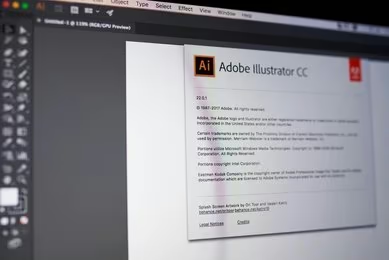
Flat Design In Adobe Illustrator
Our comprehensive program is meticulously crafted to equip you with the essential skills and knowledge required to thrive in your chosen field. Developed by seasoned professionals with years of industry experience, this course is ideal for those seeking to kickstart their careers or enhance their existing skill set. Featuring an …
Overview
Our comprehensive program is meticulously crafted to equip you with the essential skills and knowledge required to thrive in your chosen field. Developed by seasoned professionals with years of industry experience, this course is ideal for those seeking to kickstart their careers or enhance their existing skill set.
Featuring an engaging audio-visual presentation and easily digestible modules, our program facilitates a self-paced learning experience. Our dedicated online support team is available on weekdays to provide assistance throughout your journey.
Key Learning Outcomes
- Grasp the fundamentals and their practical applications.
- Cultivate the necessary skills for success in your field.
- Apply newfound knowledge to real-world scenarios.
- Develop effective solutions for relevant topics.
- Elevate your employability and career prospects.
Course Curriculum
- Module 01: Introduction to the Course
- Module 02: How to Set up the Document
- Module 03: One Smart Way of Adding Gradients
- Module 04: Start with the Background
- Module 05: Create the Sky and the Clouds
- Module 06: Adding the Lawn and the Bushes
- Module 07: Need Some Shade in the Garden
- Module 08: Rounding Selected Corners in Older Illustrators
- Module 09: Who Wants Lemonade
- Module 10: Add the Chairs
- Module 11: Creating the First BBQ
- Module 12: Finish the Project
- Module 13: Explore the Project
- Module 14: Add the Sun
- Module 15: Second Way of Creating the Sun
- Module 16: Scream it from the Mountain Top
- Module 17: Planting the Trees
- Module 18: Creating the Forest
- Module 19: Add the Hut
- Module 20: Add the Side Blocks
- Module 21: Add the Roof
- Module 22: Add the Windows
- Module 23: Adding Panels and Colours
- Module 24: Create the sky
- Module 25: Add the stars
- Module 26: Add the moon
- Module 27: Plant Some trees
- Module 28: Add the entrance
- Module 29: Create the tent
- Module 30: Finish the Tent
- Module 31: Add the backpack
- Module 32: Add the Straps and the Handle
- Module 33: Create the stove
- Module 34: Build Some Fire
- Module 35: Create the Wheels of the Camper
- Module 36: Add the Mudguard
- Module 37: Add the Bumpers
- Module 38: Add the Paint Job
- Module 39: Add the Door Knobs
- Module 40: Add the Reflections and Finish the Project
- Module 41: Discover the Project
- Module 42: Add the sign and the Arrows
- Module 43: Add the Escalator
- Module 44: Start Creating the Luggage
- Module 45: Add the Handle
- Module 46: Add the Straps
- Module 47: Add the Wheels and the Shading
- Module 48: Adding the Bokeh Effect and Finishing the Project
- Module 49: Introduction to the class
- Module 50: Create the smartphone shape
- Module 51: Add the gradient wallpaper
- Module 52: Create the buttons
- Module 53: Add the system buttons
- Module 54: Add the hour and notification icons
- Module 55: Create the signal strength icon
- Module 56: Create the wifi icon
- Module 57: Add the battery icon
- Module 58: Create the app drawer
- Module 59: Create the main telephone shape
- Module 60: Add the gradient background
- Module 61: Create the main compass shape
- Module 62: Add the pointers and start adding colour
- Module 63: Create the messages icon
- Module 64: Add the background
- Module 65: How to create an iOS inspired music app icon
- Module 66: Coming up with colour schemes for the projects
- Module 67: Create the main shape of the retro TV
- Module 68: Add the screen
- Module 69: Create the reflections
- Module 70: Add the legs and the antenna
- Module 71: Add the buttons
- Module 72: Finish the retro TV app icon
- Module 73: Create the second TV app icon
- Module 74: Create the contacts app icon
- Module 75: Create the body and the lens
- Module 76: Add the reflections and finish the icon
- Module 77: Create the envelope
- Module 78: Add the letter
- Module 79: Finish the icon
- Module 80: Create the main wallet shape
- Module 81: Round the corners in older version of illustrator
- Module 82: Add the stitching
- Module 83: Create the bottom edge
- Module 84: Add the button
- Module 85: Put the money in the wallet
- Module 86: Create the main book shape
- Module 87: Add the text and a bookmark
- Module 88: Create the hand and the background
- Module 89: Create the cloud
- Module 90: Create the sun and finish the icon
- Module 91: Create the bun icon
- Module 92: Add the lettuce, cheese and ketchup
- Module 93: Add sesame, background and finish
- Module 94: Create the main app background
- Module 95: Add the navigation pointer
- Module 96: Create the base of the microphone
- Module 97: Add the diaphragm and finish the icon
- Module 98: Add the background first
- Module 99: Create the main piece
- Module 100: Add the padding
- Module 101: Attach the earpiece
- Module 102: Add the earpiece
- Module 103: Add the cable
- Module 104: Create the main cog shapes
- Module 105: Join the cogs and finish the icon
- Module 106: Create the world map
- Module 107: Add the magnifying glass and finish the icon
- Module 108: Create the main clock shape
- Module 109: Add the markers
- Module 110: Add the pointers
- Module 111: Create the bells and finish the icon
- Module 112: Create the main notes shape
- Module 113: Add the bend and the background
- Module 114: Create another version of the icon
- Module 115: How to create a calculator app icon
- Module 116: How to create a file manager app
- Module 117: Create the main flashlight shape
- Module 118: Add the rotating mechanism
Designed to give you a competitive edge in the job market, this course offers lifetime access to materials and the flexibility to learn at your own pace, from the comfort of your home.
Why Choose Us?
- Learn at your own pace with 24/7 online access to course materials.
- Benefit from full tutor support available Monday through Friday.
- Acquire essential skills in the convenience of your home through informative video modules.
- Enjoy 24/7 assistance and advice via email and live chat.
- Study on your preferred device – computer, tablet, or mobile.
- Gain a thorough understanding of the course content.
- Improve professional skills and earning potential upon completion.
- Access lifetime course materials and expert guidance.
- Enjoy the convenience of online learning with flexible schedules.
Why Enroll in This Course?
Our program provides a comprehensive introduction to the subject matter, laying a solid foundation for further study. It empowers students to acquire knowledge and skills applicable to both their professional and personal lives.
Assessment
The course incorporates quizzes to evaluate your understanding and retention of the material. These quizzes pinpoint areas for further practice, allowing you to review course materials as needed. Successfully passing the final quiz qualifies you for a certificate of achievement.
Requirements
There are no formal requirements for this course, it is open to anyone who is interested in learning the material.
Career Path
Our course is meticulously designed to equip you for success in your chosen field. Upon completion, you’ll have the qualifications to pursue diverse career opportunities across various industries.
Curriculum







Course Features
- Lecture 0
- Quiz 0
- Duration Lifetime access
- Skill level Level 3
- Language English
- Students 526
- Assessments Yes